Riot Vanguard and VAC are two separate anti-cheat products, yet a gap in how they are built says nothing about how safe some third-party tool might be. A comparison worth reading sticks to what the public documentation says and marks the rest as unknown.
In short: line up what each one claims to be for, where its client part runs, how its updates are explained and what each company states about enforcement. Never judge whether some private tool is detected based on an advertising slogan or on the fact that no ban arrived right away.
Begin with categories, skip the headlines
A “VAC vs Vanguard” question usually bundles four separate ones:
- Which software piece gets installed?
- At what point is it running?
- What does the provider say openly about the signals or data it uses?
- In what way and at what moment can enforcement kick in?
Do not blend these questions. An open description of a service, a driver or a server-side check falls short of a full picture of how an anti-cheat system works.
What the public VAC documents confirm
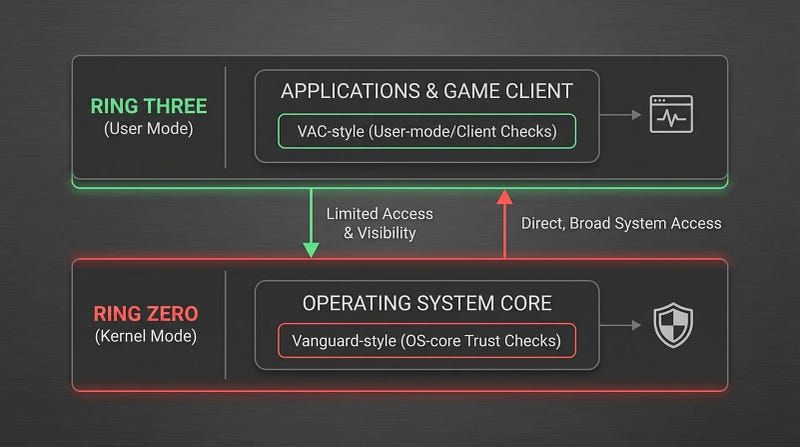
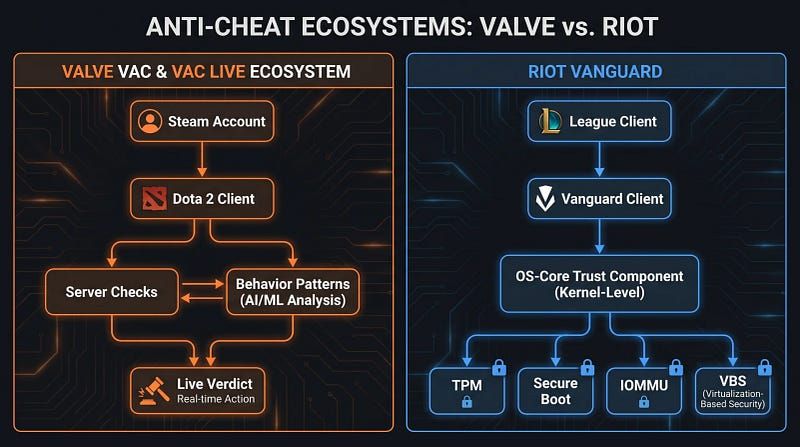
According to Steam Support, VAC stands for Valve Anti-Cheat and runs across many Steam titles. The docs on this system draw the policy line around cheating and around VAC bans, yet they leave out each internal signal, review rule and enforcement schedule used for Dota 2.
What Riot says publicly about Vanguard
Riot presents Vanguard as VALORANT’s anti-cheat platform, made up of a client plus a driver that runs in kernel mode. On top of that, Riot Support puts out support articles on setup, how it operates and fixing problems. Those articles cover how the product is supposed to be used; none of them offers a one-size-fits-all way to forecast each enforcement call.
That is why the two names cannot simply be swapped for one another. They differ in how they are explained publicly, how they are deployed and how support works. None of that means any third-party system gets a loophole in either one.
Privacy and upkeep are two other topics
It is fair for a player to wonder what launches together with the Windows boot, what can be removed and how updates get announced. Those concern upkeep and privacy. They are a different matter from “will this cheat get caught?”
Note down, for each of the two systems:
- how the vendor officially describes the component;
- which support channel is documented;
- notes on updates and troubleshooting;
- what platform or games it covers;
- whatever facts are still not public.
Fill in identical fields for the two products. Keeping it symmetrical stops the comparison from quietly turning into a verdict.

What this comparison will not reveal
No public documentation can show the internal rules in force right now, each signal the client sends or exactly when an enforcement action happens. If a third-party tool starts and no penalty follows right away, that only shows nothing visible happened during that stretch.
Do not treat VAC vs Vanguard as a quick substitute for advice on account risk. Go through the platform policy first, and then decide on its own whether any unofficial tool should go near an account that matters to you.
How Melonity fits in
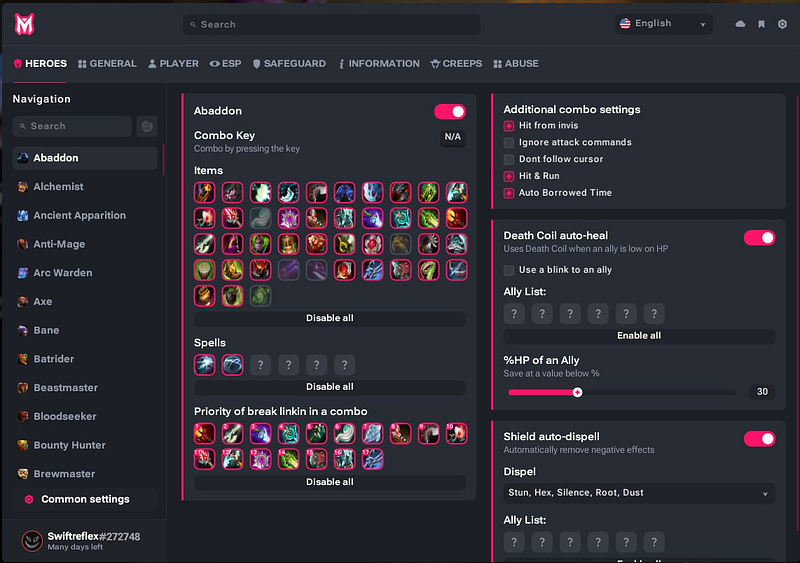
The public Melonity page makes claims about the product and its features; it has no effect on what Riot or Valve publish regarding their anti-cheat systems. We have a commercial relationship with Melonity. Product marketing does not establish how anti-cheat systems behave.
Further reading
- Dota 2 cheat detection: VAC facts and limits
- Melonity vs Umbrella Dota 2 cheats
- Dota 2 cheats and scripts explained
Common questions
Are VAC and Vanguard the same thing?
They are not. These are separate anti-cheat products, each with its own public documentation and deployment setting.
Does Vanguard show that cheating in Dota 2 is riskier?
Not at all. Differences in how the products are built say nothing about the detection of any third-party tool right now or about the fate of an account.
Is a ban that does not arrive right away proof of safety?
Never. All it shows is that nothing visible happened over the period you watched.
Where can I look up current policy?
Go to the game’s update notes and to official Riot Support or Steam Support. Consider any third-party claim without support to be marketing until something independent confirms it.
Is CheatsGaming able to promise you zero bans?
It is not. No publisher and no product page should present unknown enforcement behavior as a guarantee.