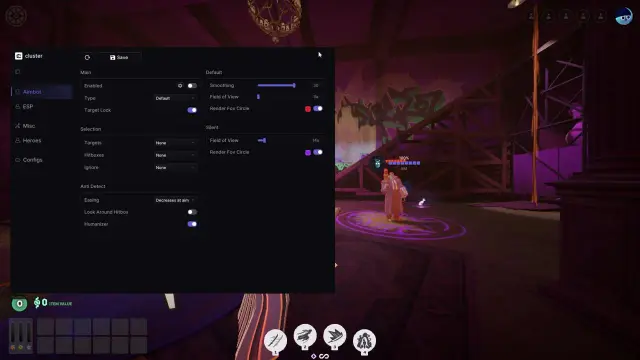
Deadlock cheat commands are built-in console controls used for testing and practice. They can expose Sandbox tools, provide practice resources or let you move around a map without normal collision. They do not install an aimbot, enable a commercial auto-parry script or unlock a Cluster subscription.
That shared word, “cheat,” causes plenty of confusion. Someone looking for unlimited souls in a practice session and someone shopping for automated combat features can land on the same search results. Here is what each actually needs.
Quick answer: use the game's console for supported practice commands. Cluster is a separate product offering aim assistance, ESP, hero combos and auto parry. Console commands and product access are different routes.
Open the console in a practice session
Enable the developer console in Deadlock's settings, then use its assigned key; current community guides list F7 as the default. Start in Sandbox or a private session you control.
Some commands only change your interface. Others change the state of the practice game and require cheats to be enabled. In a supported private session, sv_cheats true is the switch associated with those protected commands. It is a server permission, not a way to grant yourself control over public matchmaking.
The command names below are documented in current community guides. We have not run them against your installed build, and Deadlock updates can change their availability.
Useful Deadlock Sandbox commands
citadel_hero_testing_enabled truebrings up the hero-testing tools. Opening that panel and being allowed to use all its functions are separate checks.citadel_hero_testing_infinite_money trueis listed for unlimited practice souls and ability points. It is useful for comparing builds without farming first.noclipallows free movement through the practice environment. The purpose is map inspection and movement around the test area.citadel_hud_visible 0hides the HUD;citadel_hud_visible 1restores it. This is an interface control, useful when looking at the scene without the usual screen furniture.
You do not need every command in a giant pasted config. If the job is comparing two builds, the testing panel and practice resources address that job. If you only want a clearer screenshot, a HUD control is enough.
Why a command can appear to do nothing
There are three common distinctions to check before blaming the command itself:
- The command exists, but the session does not permit it. A practice feature can be restricted by the server or game mode.
- A panel is enabled, but its actions are still restricted. Seeing the testing menu does not prove every control is usable in that session.
- The guide describes an older build. A familiar name can be renamed or removed as the game changes.
Re-entering the same line will not change a server permission. Stay within Sandbox or a private session for game-changing practice commands, and check the current command name if the console reports it as unknown.
Where Cluster's features begin
Console tools change the practice environment. Cluster's advertised modules handle aiming, information displays and supported actions during play. Its Deadlock lineup includes:
- Aimbot: configurable targeting assistance.
- ESP: an overlay with information about supported objects and heroes.
- Hero Combo: configured ability and attack sequences for supported heroes.
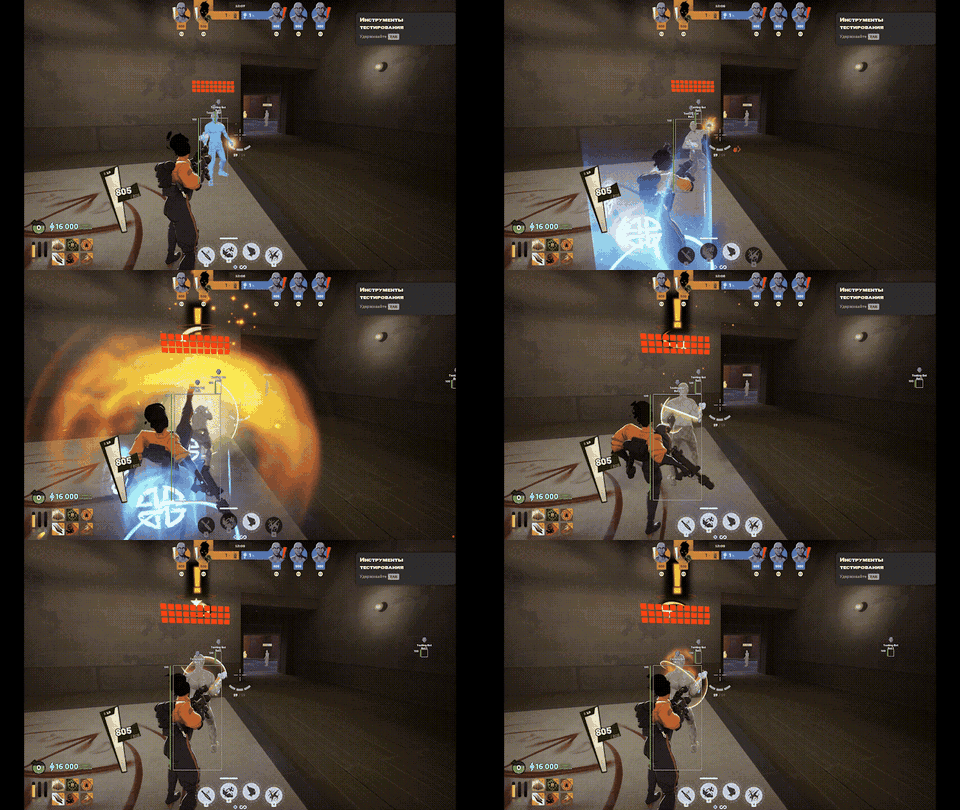
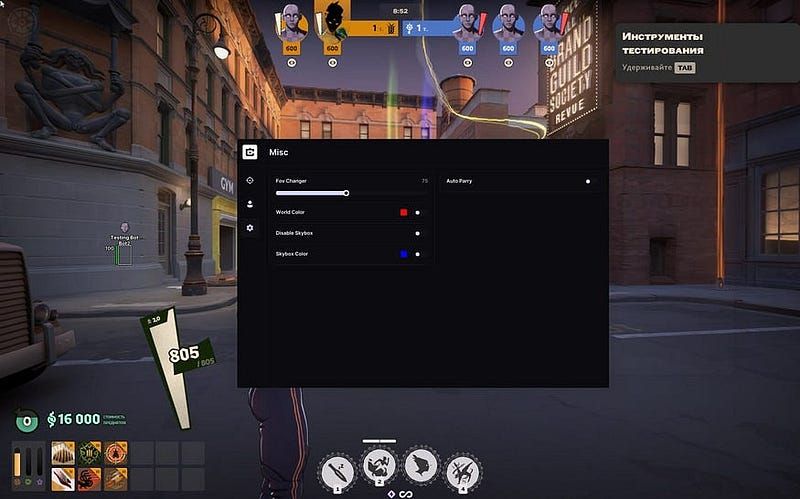
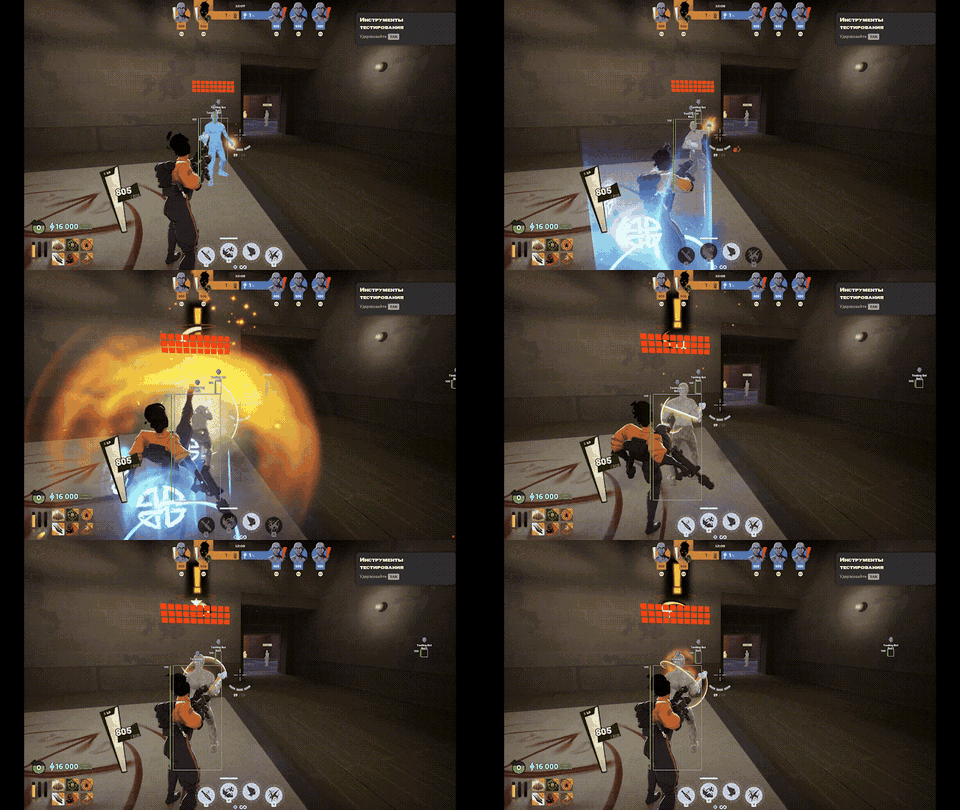
- Auto Parry: automated parry timing for supported melee interactions.
- Dodger: a separate advertised response to enemy abilities.
The interface below shows an earlier Cluster utility menu. Auto Parry is a named feature in that menu, rather than a Deadlock console command.
The Auto Parry example below illustrates that distinction. It shows a supported combat response, not a command that gives practice resources. Our Deadlock Auto Parry guide covers the feature in more detail.
Free commands, trial access and a paid subscription
Built-in practice commands are part of the game. A paid software package is a separate purchase with its own feature list, support and access terms.
Cluster currently offers a three-day trial for new accounts registered through an available OAuth provider. The trial is limited to users who have not claimed one before. Its listed platform is Windows 10/11, 64-bit. If automation is what you came looking for, the Cluster Deadlock overview explains the package beyond Auto Parry.
Cluster also advertises protection and Humanizer features. These are the developer's claims; third-party software carries account risk, and a free trial does not change that. A built-in practice command and an external automation product should not share the same safety assumptions.
Partner link: check Cluster for Deadlock and its current trial offer. For a license through our store, see Cluster Deadlock access.
FAQ
Do Deadlock cheat commands require a download?
No. Deadlock cheat commands are entered through the game's built-in console. A separate download is not required for those commands.
Does sv_cheats unlock aimbot or Auto Parry?
No. It controls access to cheat-protected game commands in supported sessions. It does not activate features in third-party software.
Can I use practice commands in public matchmaking?
Game-changing commands depend on server permissions. A command documented for Sandbox should not be treated as available in public matchmaking. Ordinary client settings are a separate category.
Why does the testing menu open while a tool does not work?
The menu and its individual actions can have different permission requirements. The session must support the action as well as the interface.
Is Cluster's trial the same as a permanently free cheat?
No. A trial gives eligible new users temporary access under the current offer. Continued paid access is a separate subscription decision.