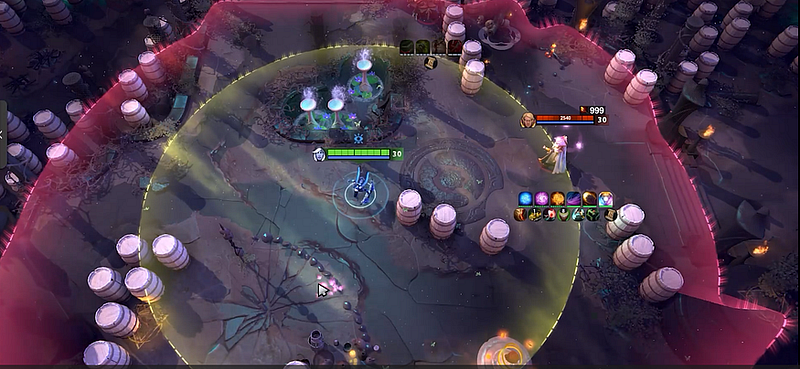
How to Write Your Own Script for Dota 2 on Any Hero

If you searched how to write Dota 2 script, this is the practical workflow shown in this article: prepare an AI workspace, give it the public Melonity.gg custom-script template, describe one tight piece of game logic, request a standalone JavaScript file, load the result in Melonity.gg, and test it in Dota 2 Demo.

The example is a Power Treads helper for Kunkka. It switches the item to Intelligence before an ability cast and returns it to the original attribute after a configurable delay. Melonity.gg is the Dota 2 cheat/script platform used for the API integration, settings tab, and live test. We will follow what the recording proves — no mystery steps and no made-up code.

Quick answer

Start with a single condition and action. In the article, the condition is an ability cast; the action is a temporary Power Treads attribute change. Attach the public Melonity custom-script template to the AI request, ask for a standalone `.js` file, check that the generated menu matches your intended controls, then test it in Dota 2 Demo before doing anything else.

What you will build

This tutorial builds one focused Dota 2 cheat script from request to test:

  • Script goal: switch Power Treads to Intelligence before Kunkka uses an ability, then return to the original attribute.
  • Tools: Notion AI with Sonnet 4.6, the public `melonity-public/template-custom-scripts` GitHub repository, Melonity.gg, and Dota 2 Demo.
  • Melonity API usage: create a `PT ABUSE` menu, watch the supported cast action, change Power Treads through the supported item behavior, and restore the selected state after a delay.
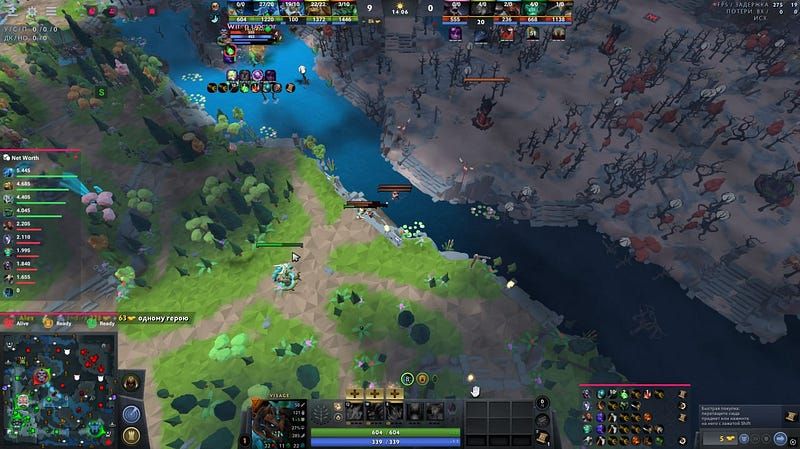
  • Final result: the script appears as a Melonity tab with working controls, then Kunkka repeatedly casts abilities in the demo environment.

That is the tutorial boundary. We are not building the script line by line or covering private platform internals.

What you need before starting

You need the following:

  • Dota 2 with access to Demo mode.
  • Melonity.gg and its custom scripting workflow.
  • A browser and Notion AI for the AI workspace.
  • The public `melonity-public/template-custom-scripts` repository downloaded. You can find GitHub link for downloading on offical Melonity.gg API Dock
  • Basic logic skills: you should be able to state a condition, an action, a return state, and a test.
  • Power Treads on the demo hero, because that is the item the example controls.

Step-by-step Dota 2 script tutorial

1. Prepare the Notion AI workspace

Setup: open Notion AI, create a dedicated instructions page, and start a fresh chat after the AI confirms it is ready for the first request.

Action: set up a dedicated AI chat with clear working instructions before asking for the script. The instructions should include a jailbreak for the neural network. Since the prompt itself is very large, I uploaded it to disk

Why it matters: the model needs a consistent job: read the supplied project, keep the scope narrow, return the requested artifact, and explain the result without wandering into unrelated features.

2. Download the public Melonity script workspace

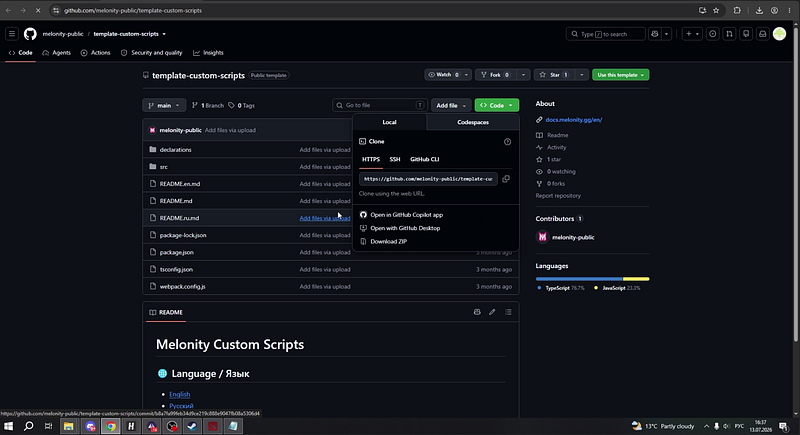
Setup: open `github.com/melonity-public/template-custom-scripts`. The public template contains `declarations`, `src`, three README files, `package.json`, `tsconfig.json`, and `webpack.config.js`. Choose Download ZIP and attach the archive to the Notion AI request.

Action: give the AI the public Melonity custom-script template instead of asking it to guess the project shape.

Why it matters: the template supplies the Melonity API context and folder conventions. This is the key bridge between a generic AI idea and the actual platform workflow.

Melonity custom scripts GitHub template workspace

3. Describe one script with clear conditions and settings

Request: ask for a Power Treads helper that switches the boots to Intelligence before an ability is used, returns them afterward, and includes its own settings tab. Attach the downloaded template before sending the message.

Action: describe the desired result in plain language. Keep the first request small: one trigger, one temporary action, one return state, and a few controls.

Why it matters: “make me a Dota 2 script” is too vague. “Before an ability cast, switch Power Treads to Intelligence and return afterward” gives the AI something testable.

4. Request a standalone file and inspect the API roles

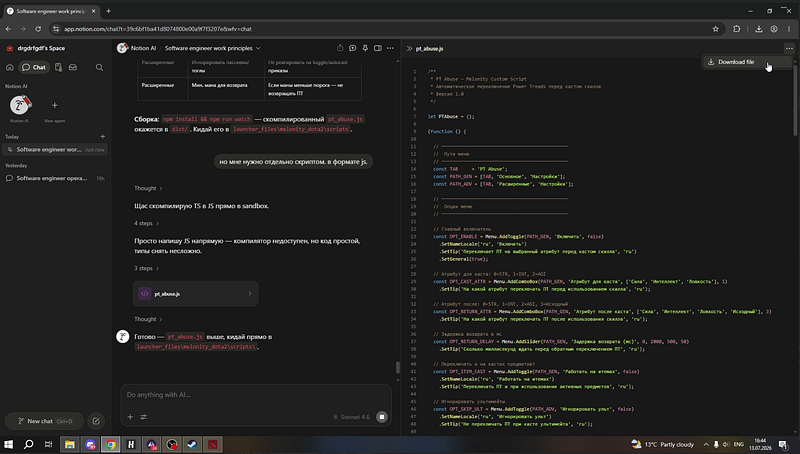
Notion AI may first create `pt_abuse_script.zip` and summarize the logic and menu. Ask for the script separately in `.js` format so the final artifact is `pt_abuse.js`, then open its code preview.

Action: ask for the exact artifact the Melonity workflow needs, then inspect its structure before downloading it. The preview visibly contains menu controls for enable, cast attribute, return attribute, return delay, item handling, and advanced filters.

A generated archive is not the same thing as the standalone file you need. This check also catches a classic AI mistake: delivering a clever explanation while missing the actual artifact.

The API integration has four public-facing jobs: build the menu, observe a supported cast action, cycle Power Treads to the selected attribute, and restore the chosen state after the delay. Use the current public template as the reference for the supported interface.

pt_abuse.js preview with visible Melonity API menu logic

5. Configure the PT ABUSE tab in Melonity

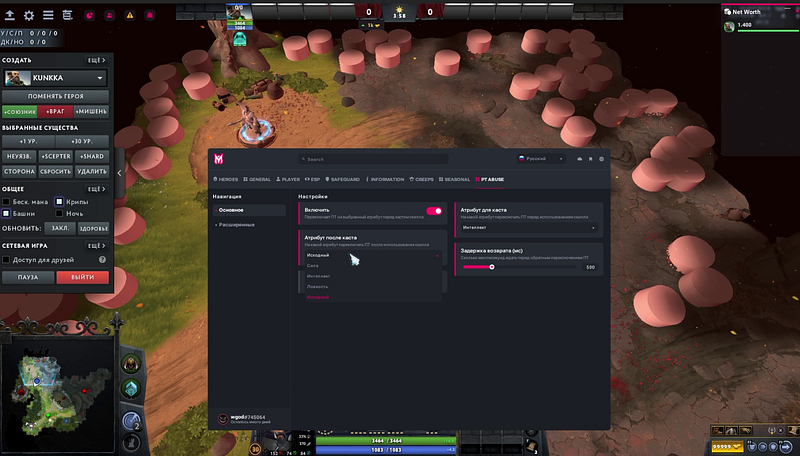
Run Dota 2 Demo with Kunkka and open the new `PT ABUSE` tab in the Melonity overlay. Under Basic, enable the script, set the cast attribute to Intelligence, the post-cast attribute to Original, the return delay to 500 ms, and leave Work on items off. Under Advanced, you can also review controls for ignoring ultimates, ignoring passive/toggle orders, and setting a minimum-mana return threshold. Confirm that the generated UI matches the requested behavior before testing.

The menu is your quickest sanity check. If a setting is missing here, guessing what the script will do in a match is pure cope — go back and refine the request.

Melonity PT ABUSE settings in Dota 2 Demo
Melonity PT ABUSE settings in Dota 2 Demo

How the Melonity API integration fits together

The Melonity API is the connection layer between the script idea and the Dota 2 context used by this setup.

At a high level, the flow is simple:

1. Read the supported action: the script notices the supported ability-cast order.
2. Check conditions: the main toggle and visible filters decide whether the behavior should run.
3. Trigger the supported item behavior: Power Treads cycle until the selected pre-cast attribute is reached.
4. Return after the delay:*the script restores the selected post-cast state, with `500 ms` used in the demo.
5. Expose controls in Melonity: the `PT ABUSE` tab lets the player change these choices without editing the file during the test.

This is what Melonity.gg API integration contributes: game-aware conditions, supported actions, a configurable UI, and a place to test the result. You do not need private platform internals to understand or validate this workflow.

Reusable prompt for this workflow

Use this prompt when you want the AI to stay inside the same technical boundary:

Create a Dota 2 script concept using the public Melonity.gg custom-script template and API workflow. Build a Power Treads helper that switches to Intelligence before an ability cast, returns to the original attribute after a configurable delay, and exposes clear settings. Break the logic into conditions, actions, controls, and Dota 2 Demo testing steps. Do not add anti-cheat bypass details, hidden implementation methods, or undocumented behavior.

For a better result, add your desired trigger, action, return state, settings, and demo test. Do not ask for five unrelated features in the first pass.

Common mistakes when making a Dota 2 script

  • Skipping the workflow steps. The template, attachment, standalone-file request, settings check, and demo test all have a purpose.
  • Copying code without understanding the logic. If you cannot explain the condition, action, and return state, you cannot debug the result.
  • Adding too many triggers. Start with one supported cast path. Extra branches make failures harder to isolate.
  • Making behavior look unnatural. More automation is not automatically better; it can also make the setup harder to control and verify.
  • Ignoring updates. If the public template changes, check it again instead of trusting an old generated file.
  • Using random free files. Use the official public Melonity template and the Melonity.gg workflow, not a sketchy download from an unknown post.

Why use Melonity.gg for Dota 2 scripting

Melonity.gg supports the workflow from public template to in-game test. Its scripting ecosystem covers hero scripts, visual functions, and supporting scripts, while the API provides the game-aware layer needed for custom logic and menu controls.

After 10+ years around Dota 2 software development, our view is straightforward: a usable scripting workflow needs more than a loose `.js` file. It needs a maintained platform, an official template, API integration, a security team, predictable controls, and a long-term stability focus.

Melonity is built for stable, secure Dota 2 scripting and long-term use. That is a product and brand commitment, not a forever-guarantee against every game or platform change. The practical advantage shown here is the full loop: build against the Melonity workflow, configure it inside the product, and test it in Dota 2.

You can download Melonity.gg cheat — here

Write and test your script with Melonity.gg

If you want to follow this workflow, use Melonity.gg: start from its public custom-script template, describe one clean piece of logic, request the correct file, check the generated menu, and test it in Dota 2 Demo. That is the shortest honest answer to how to write Dota 2 script without turning the process into a pile of guesses.

FAQ

Can I write my own Dota 2 script?

Yes. This workflow turns a custom concept into a standalone JavaScript file, a Melonity settings tab, and an in-game demo test without requiring a manual line-by-line build.

What is the Melonity API used for?

In this tutorial, the Melonity API connects the script’s conditions to supported Dota 2 actions, creates the settings UI, triggers the Power Treads behavior, and supports testing in the Melonity workflow.

Do I need coding experience?

You need enough logic knowledge to define conditions, actions, settings, and a test. AI can produce the artifact, but you still need to judge whether its behavior matches the request.

Can I use a generated script without checking it?

No. Use the current public template, inspect the generated `pt_abuse.js`, confirm every setting, and run the Dota 2 Demo test before relying on it.

Why use Melonity.gg?

It provides the public template, API context, in-product settings, and demo testing workflow in one Dota 2 scripting platform.